From STL to laser-cut layers
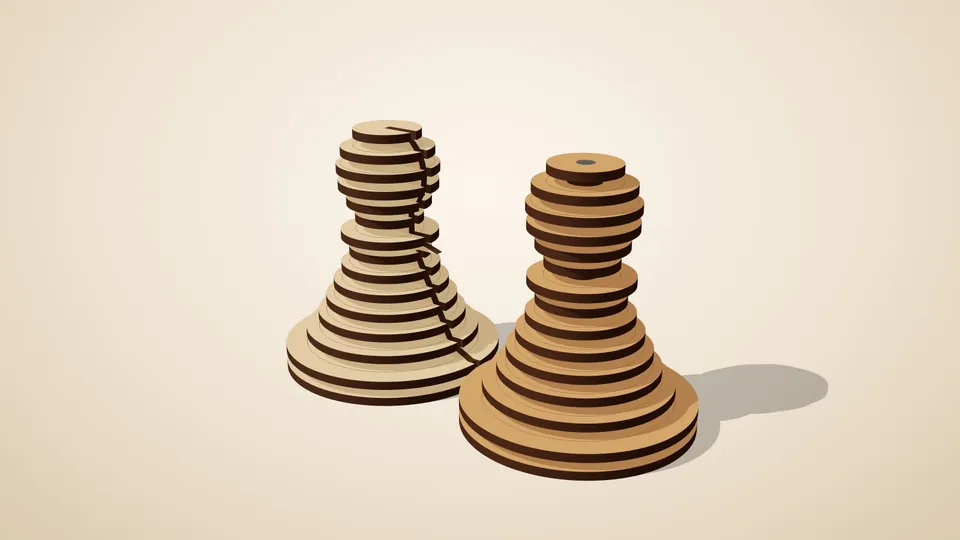
A stacked sculpture is the simplest way to turn a 3D model into laser-cut parts: slice it into layers as thick as your sheet, cut each layer's outline, stack and glue. The hard parts are getting the layers to line up and the slicing to match the material's real thickness. laserpuzzle's Stacked layers generator handles both.
What you need
- An STL (a model you made, downloaded, or one of the built-in samples).
- Sheet material and a laser cutter that accepts SVG or DXF.
- Glue, and a dowel if you want self-aligning layers.
Steps
- Open the app and pick Stacked layers. No account and no install; the first load downloads the engine (about 22 MB) and your browser keeps it afterwards.
- Load your STL, or start from a sample. The file is read in your browser and isn't uploaded.
- Set the material thickness to what your calipers say, not the label on the sheet.
- Choose scale and alignment. Size the finished piece, and pick how layers line up: a spine, or a dowel through all layers.
- Check the 3D preview. It shows the stack built from the actual parts you'll cut. Turn it, x-ray it, explode it.
- Download SVG or DXF. Cut lines and engrave lines come out in separate colours/layers, nested onto your sheet size.
- Cut, number, stack. Parts are labelled, so you can lay them out in order before gluing.
Tips
- Thinner sheets give a smoother surface and more parts to glue. Thicker sheets are quicker but show stepping.
- Engrave layer numbers if your design has many near-identical layers.
- Sand the edges lightly after assembly to blend the steps.
- If you'd rather have a lightweight, slotted-together object than a solid stack, try the Sliceform generator (Pro): two sets of interlocking cross-sections that lock into a lattice.